

Prepare and share your receipt.
Once your e-SMM connection is set up, issue receipts in the name of the doctor listed in your billing details. Open the document as a PDF or share it with your patient via a link.
Request a demoTrack your income, expenses and doctor earnings. Send online payment links and manage your e-SMM and e-Arşiv documents from the same dashboard.
View collections, expenses and the net amount for your selected period together. Track outstanding payments from the same dashboard.
View each doctor's collections and earnings calculated using the recorded rates. Set each doctor's share percentage for new collections.
Send your patient a payment link by SMS or WhatsApp. Track the card payment's status from the patient file.
Once your e-SMM connection is set up, issue receipts in the name of the doctor listed in your billing details. Open the document as a PDF or share it with your patient via a link.
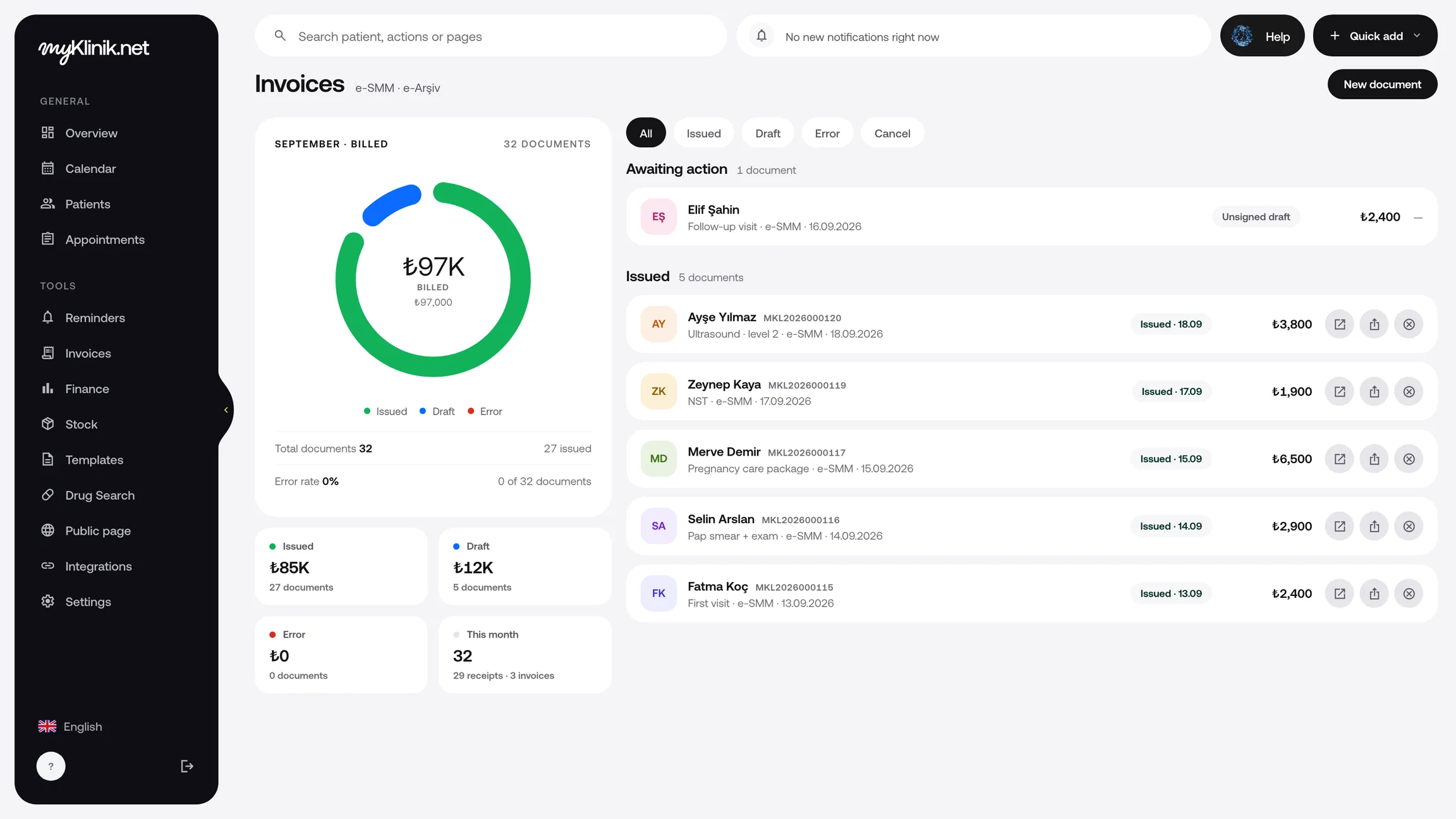
Request a demoSet up your invoicing connection and prepare your e-Arşiv invoice with the recipient and service details. Open your documents from the list and view them as PDFs.
Collect online payments through your clinic's own payment account. MyKlinik takes no commission from collections; card processing fees apply according to your payment agreement.
PricingView the status of online payments from the patient file. As the clinic owner, initiate a refund for completed payments from the same place.
Once your e-SMM connection is set up, issue receipts in the name of the doctor listed in your billing details. Open the document as a PDF or share it with your patient via a link.
Request a demoSet up your invoicing connection and prepare your e-Arşiv invoice with the recipient and service details. Open your documents from the list and view them as PDFs.
Collect online payments through your clinic's own payment account. MyKlinik takes no commission from collections; card processing fees apply according to your payment agreement.
PricingView the status of online payments from the patient file. As the clinic owner, initiate a refund for completed payments from the same place.
Complete your billing details and connect your clinic's payment account. Check that your electronic document connection is ready before issuing documents.
Set a percentage for each doctor. Track earnings calculated from new collections in the finance dashboard.
Send the payment link and check the collection status. Prepare the receipt or invoice and share it with your patient.
For your clinic's other needs, explore all features.
Complete your billing details and set up the relevant e-document connection. Once connected, prepare the document with the recipient and service details, then open it as a PDF or share it.
MyKlinik does not take a commission on payments. You receive payments through your clinic’s own payment account; card processing fees apply according to your payment agreement.
Set a revenue share percentage for each physician. View the shares calculated for new payments alongside those payments in the finance panel.