

Find your patient and open their history.
Search by name, Turkish ID number or phone number. Open the file to review previous consultations, measurements and the upcoming appointment.
Request a demoOpen consultation notes, prescriptions, documents and images from the same file. Keep track of sessions and vaccinations, and manage stock by lot and expiry date.
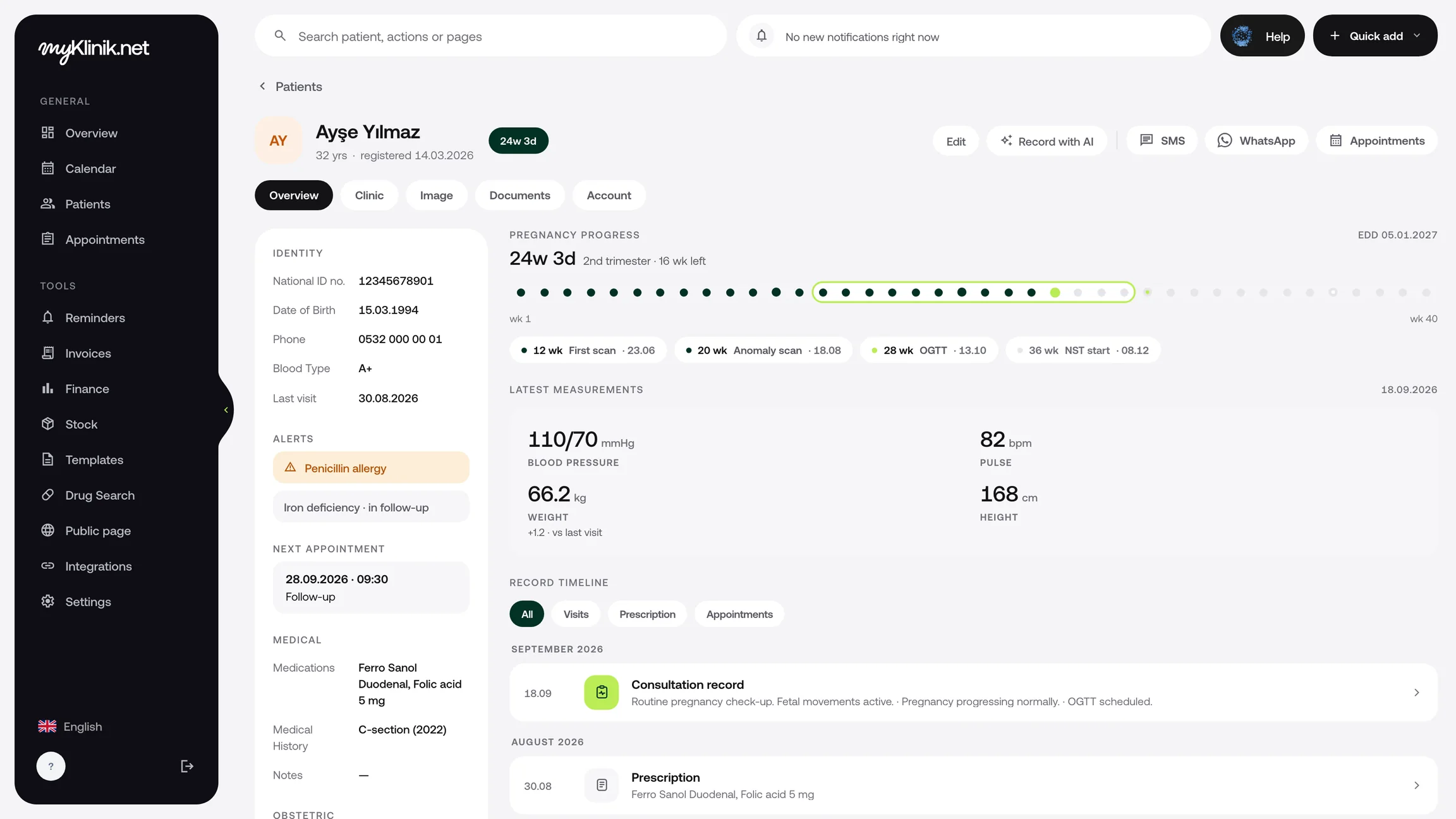
Review consultation notes, measurements and prescriptions in date order. Start the next consultation with previous records in view.
Add PDFs and photos to the patient file. Open signed consent forms and lab results from the same file.
Record products with their lot and expiry date. Keep track of remaining quantities, low stock and items nearing expiry.
Search by name, Turkish ID number or phone number. Open the file to review previous consultations, measurements and the upcoming appointment.
Request a demoKeep patient photos with their dates in the file. Open before-and-after photos side by side to review them together.
AestheticsTrack used and remaining package sessions alongside payment status. View upcoming and overdue doses in the vaccination schedule.
Review stock additions and deductions by quantity, description and date. Track usage of the products you select in dental treatment and vaccination records from here too.
Finance and e-SMMSearch by name, Turkish ID number or phone number. Open the file to review previous consultations, measurements and the upcoming appointment.
Request a demoKeep patient photos with their dates in the file. Open before-and-after photos side by side to review them together.
AestheticsTrack used and remaining package sessions alongside payment status. View upcoming and overdue doses in the vaccination schedule.
Review stock additions and deductions by quantity, description and date. Track usage of the products you select in dental treatment and vaccination records from here too.
Finance and e-SMMUpload your Excel or CSV file and map the columns. Check records and flagged rows in the preview before importing.
Enter the product, lot, quantity and expiry date. Select the product and quantity to use in the dental treatment or vaccination record.
Save consultation notes and open documents and images. After recording a session or vaccination, check the corresponding record.
Explore the other tools you can use in your clinic. See all features.
Upload your Excel or CSV file and map the columns. Review the records and any problematic rows in the preview before importing.
Open previous consultation notes, measurements, prescriptions, documents and images from the same patient file. Start each new visit by reviewing the patient’s history.
Create a package for your patient and record completed sessions and payments received. Track used and remaining sessions alongside payment status.