

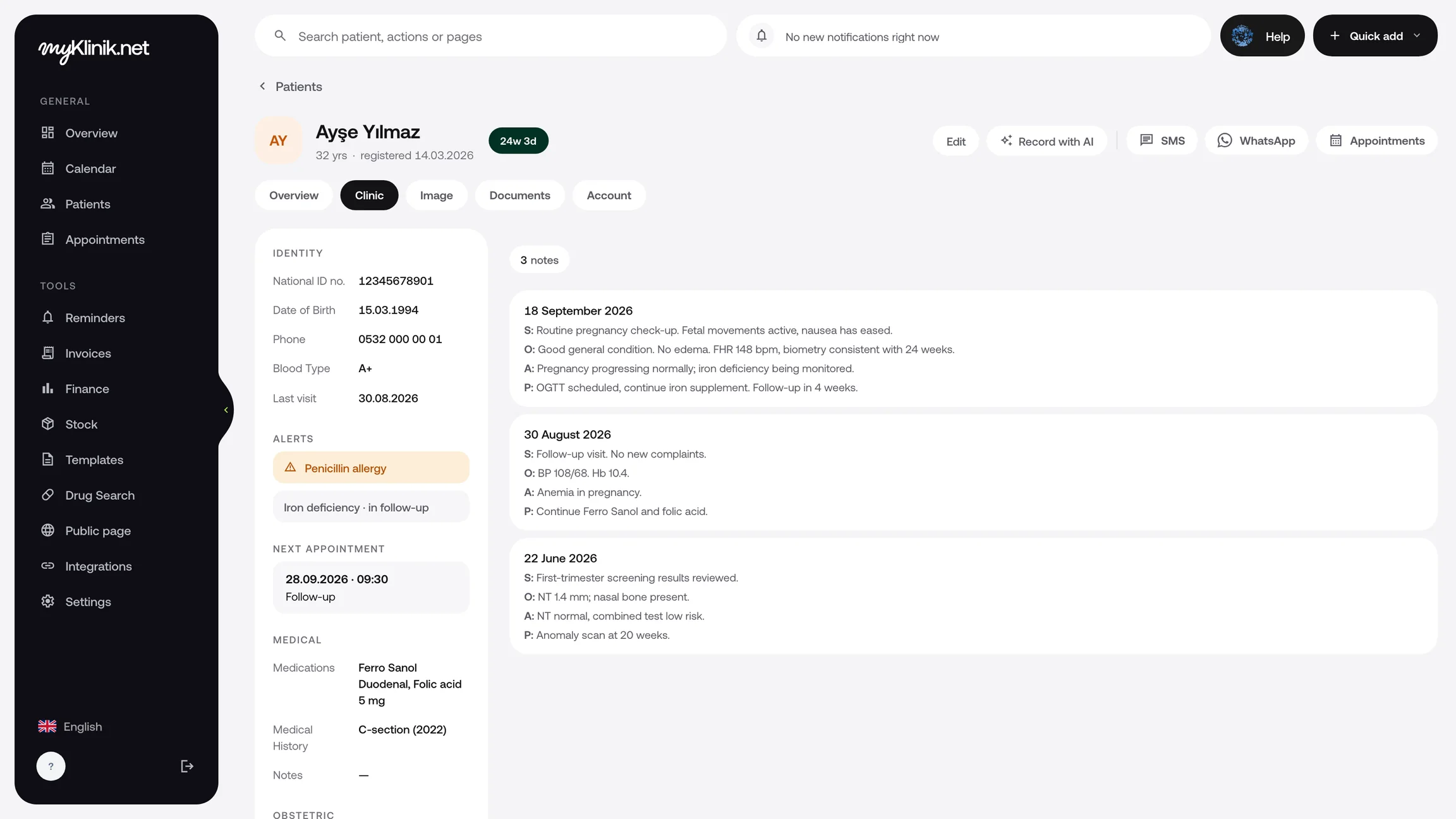
Prepare your note by speaking.
Dictate your examination findings, review the draft organised into SOAP fields and save it. You can also type your note or start from a template.
Explore voice dictationType or dictate your note, review it and save it. Prepare the prescription and have the consent form signed; access all the records from the same patient file at the next visit.
Start with a ready-made SOAP template or create your own. Adapt it to the consultation and save it.
Enter the medication, dosage and instructions, then print your prescription. Open your patient's previous prescriptions from the file at the next visit.
Choose a consent template, prepare the text and have your patient sign on screen. Open or print the record from the patient file.
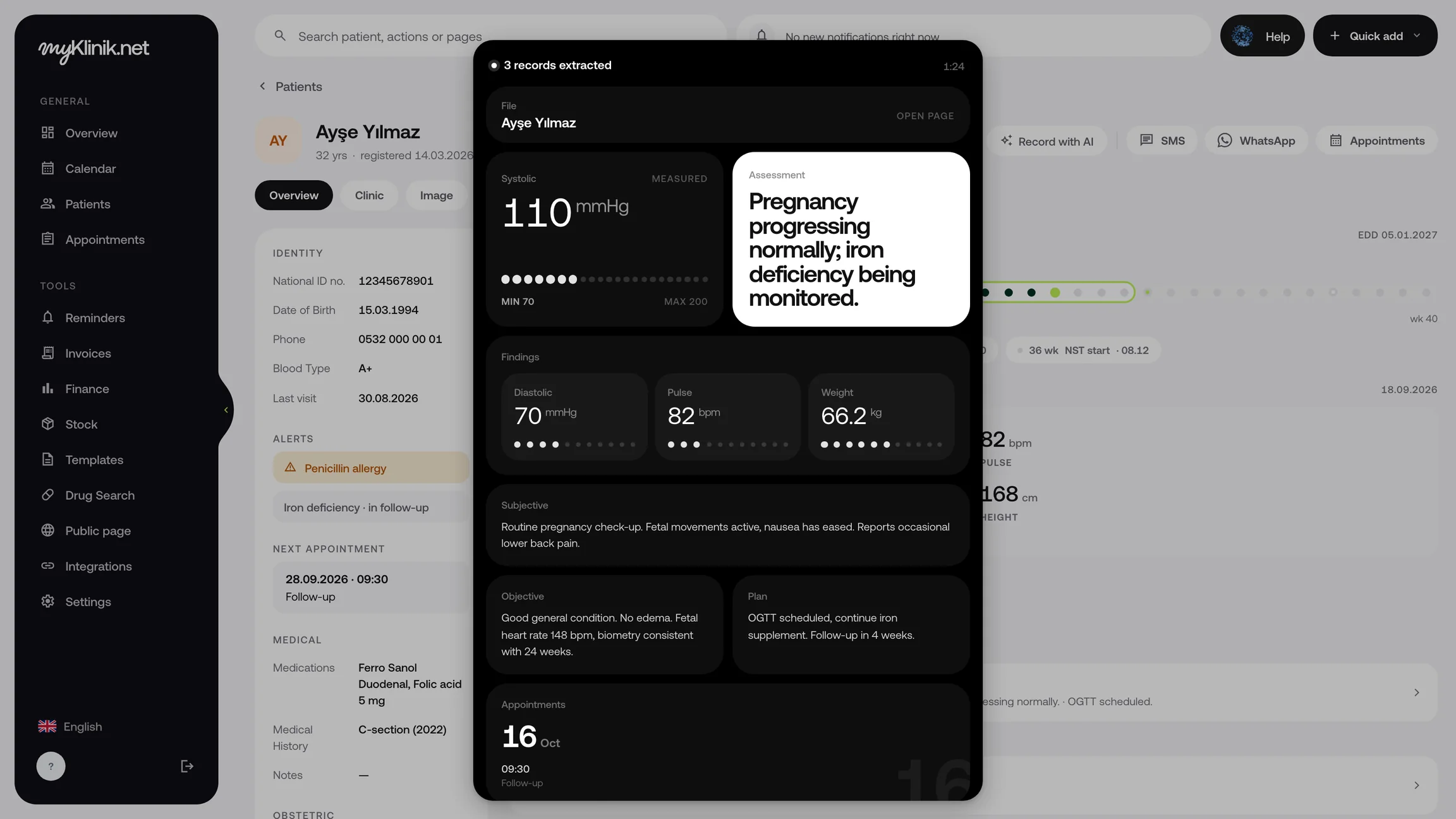
Dictate your examination findings, review the draft organised into SOAP fields and save it. You can also type your note or start from a template.
Explore voice dictationRecord the tests you request in the patient file and enter the results manually when they arrive. Attach the results document too, so you can open it at the next consultation.
Scan the QR code in the patient file with your phone, then take and upload photos on the page that opens. Compare before and after photos side by side.
Create a package for your patient and record completed sessions and payments received. Track the remaining sessions and balance from the patient file.
Explore the patient fileDictate your examination findings, review the draft organised into SOAP fields and save it. You can also type your note or start from a template.
Explore voice dictationRecord the tests you request in the patient file and enter the results manually when they arrive. Attach the results document too, so you can open it at the next consultation.
Scan the QR code in the patient file with your phone, then take and upload photos on the page that opens. Compare before and after photos side by side.
Create a package for your patient and record completed sessions and payments received. Track the remaining sessions and balance from the patient file.
Explore the patient fileAdapt the ready-made SOAP and consent templates to your clinic. Save a consultation note you use often as your own template.
Review and save your note, then add medication and test details.
Open and print your prescription and consent record from the file. Review previous records from the same file at the next visit.
For your clinic's other needs, explore all features.
Start with a ready-made SOAP template or create your own consultation template. Adapt it to your patient’s findings at each visit and save it.
Enter the medication, dosage and directions, then print your prescription. Open saved prescriptions from the patient file at later visits.
Record the tests you request in the patient file, then enter the values manually when the results arrive. Add the result document to the file so you can open it at the next consultation.